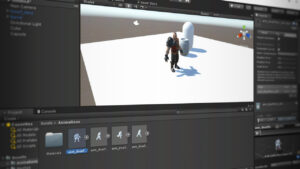
Cert Prep: Unity Certified Associate Game Developer Scripting with C#
Build exam-ready Unity C# scripting and NPC AI skills

Alan Thorn leads a LinkedIn Learning course that focuses on Unity scripting with C# and practical game-development workflows relevant to certification and real projects. It emphasizes creating and debugging C# scripts in Visual Studio and implementing AI and movement systems inside the Unity editor.
The course is designed to deliver exam-aligned, hands-on practice in timed behaviors, navigation-mesh pathfinding, and finite-state machines so learners can implement patrol, chase, and attack NPC behaviors. That makes it a concise option for intermediate developers seeking targeted scripting and AI skills for games or interactive visualizations.
At a Glance
Cert Prep: Unity Certified Associate Game Developer Scripting with C# is a LinkedIn Learning course taught by Alan Thorn that focuses on Unity scripting and preparing learners for scripting and publication tasks within the engine.
It covers C# scripting fundamentals in the Unity editor, timed behaviors, AI patterns such as finite-state machines, and navigation-mesh-based NPC movement and decision logic.
| Level | Intermediate |
| Rating | 4.6 out of 5 |
| Duration | 2+ hours |
| Languages | English |
| Certificate | Certificate of completion (shareable) |
| Access | Included with LinkedIn Learning subscription; access while your subscription is active |
| Course includes |
|
| Price | Included with subscription (monthly or annual); free trial available |
What This Course Teaches
This course frames outcomes as measurable Unity scripting and AI competencies geared toward developers preparing for the Unity Certified Associate exam and practical game projects.
By completion, learners can create and debug C# scripts in Visual Studio, implement timed behaviors, generate and test navigation meshes and agents, and design finite-state machines for patrol, chase, and attack NPC behaviors.
How the Course Is Structured
The course is organized into a sequence of short, focused lessons grouped around an introduction, a scripting fundamentals section, a practical coding section, an AI/state-machine section, a final AI project, and brief closing items.
The full syllabus lists 27 individual lessons and runs for approximately 2 hours 21 minutes in total.
Curriculum overview
01Introduction▾
02Scripting with C# in Unity▾
03Companion files▾
04Script Files and C#▾
05Creating C# files▾
06Configuring the code editor▾
07Printing to the console▾
08Components▾
09Start, awake and update▾
10Coding with Unity▾
11Timed behaviors▾
12Triggers and events▾
13Vectors▾
14Quaternions▾
15Reading user input▾
16AI and State Machines▾
17Designing a state machine▾
18Building a navigation mesh▾
19Testing navigation▾
20Working with agents and obstacles▾
21Completing the AI Project▾
22Creating the Patrol state▾
23Creating the Chase state▾
24Creating the Attack state▾
25Optimzing the FSM▾
26Conclusion▾
27Next steps▾
Audience & Requirements
Cert Prep: Unity Certified Associate Game Developer Scripting with C# is aimed at developers preparing for the Unity Certified Associate exam and practitioners who need focused, practical Unity scripting and NPC AI skills. It is best suited to intermediate learners with some prior Unity or programming exposure who want exam-aligned practice and hands-on scripting experience.
- Aspiring Unity Certified Associate exam takers
- Junior game developers wanting practical scripting and AI skills
- Technical artists and visualization professionals using Unity for interactive scenes
- Hobbyist developers implementing NPC behaviors and pathfinding
- Intermediate familiarity with the Unity editor
- Basic C# or general programming knowledge
- A code editor configured for Unity (Visual Studio recommended)
- Unity Editor installed (a version compatible with the course exercises)
Final Verdict
This course is a practical, exam-focused option best suited to intermediate Unity users preparing for the Unity Certified Associate exam or developers who need concise, hands‑on scripting and NPC AI skills for projects or portfolios. It’s a focused, efficient choice for targeted exam preparation and applied scripting practice.
Given its strong platform rating, an exam-aligned curriculum, a shareable completion certificate, and access via the platform subscription, it represents good value for learners who already use the service or who plan to consume additional courses. If you only need a single brief lesson and are not a subscriber, compare the subscription model to your broader learning needs before committing.


 Skillshare
 Pluralsight