
Adobe Lightroom Classic: Advanced Workflow And Tips For Enhancing Your Color Edits
Master Lightroom colour edits and create filmic, repeatable looks
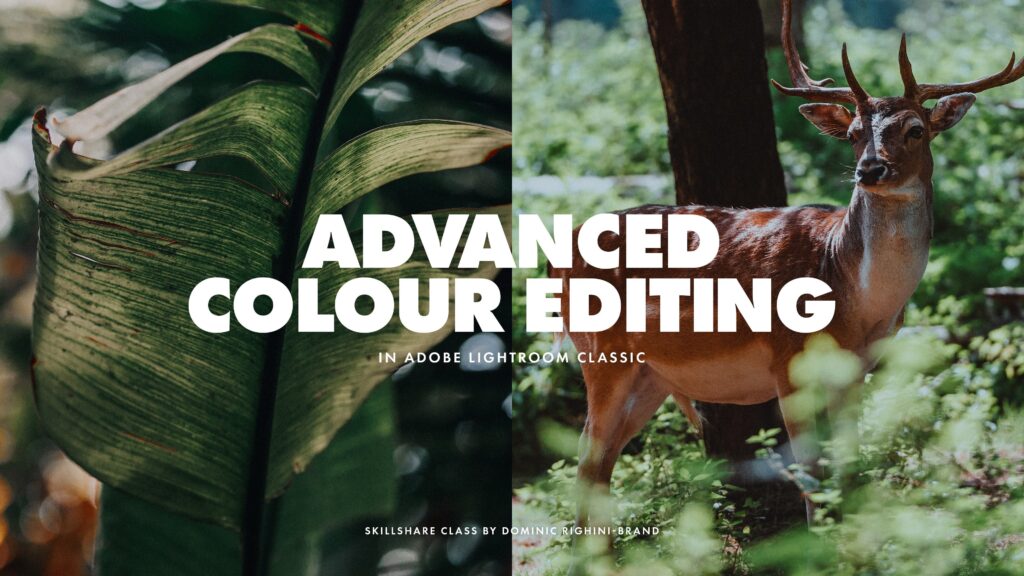
This course presents a focused, hands-on approach to mastering Adobe Lightroom Classic’s colour and tonal toolset under the guidance of Dominic Righini-Brand. It walks through practical workflows using RAW files to shape mood and character through Profiles, Calibration, Curves, Colour Grading, HSL, and masking techniques.
The emphasis is on translating individual tool mechanics into repeatable editing competencies so learners can build consistent, filmic-looking color edits and apply local and global adjustments with confidence across different images.
At a Glance
Adobe Lightroom Classic: Advanced Workflow And Tips For Enhancing Your Color Edits is a Skillshare class taught by Dominic Righini-Brand that demonstrates how to combine Lightroom Classic colour and tonal tools to create more expressive, filmic edits.
It walks through Profiles, Tonal Recovery, Curves, Calibration, Colour Grading, HSL adjustments, and masking workflows aimed at helping intermediate-to-advanced photographers refine colour, mood, and tonal depth.
| Level | Intermediate to Advanced |
| Rating | 4.6 out of 5 |
| Duration | 30+ minutes |
| Languages | English |
| Certificate | No certificate |
| Access | Access while your Skillshare subscription is active |
| Course includes |
|
| Price | Included with Skillshare subscription |
What This Course Teaches
Learners gain measurable competencies in using Lightroom Classic’s colour and tonal toolset to produce consistent, expressive edits tailored to a chosen mood or filmic look.
Students will learn to apply Profiles, recover tone, control contrast with curves, set calibration baselines, implement colour grading and HSL adjustments, and use masks within an integrated workflow.
How the Course Is Structured
The class is organized as a compact, modular Skillshare course composed of 9 focused sections that progress from initial profile-based adjustments through tonal and colour controls to a final hands-on project, with a total runtime of 30+ minutes.
Each module targets a single tool or workflow so learners can follow the end-to-end workflow or jump to individual topics as needed.
Curriculum overview
01Making quick changes to enhance your edits using Profiles▾
Introduces how to apply and adjust Profiles to establish an initial stylistic base and speed up the editing process.
02Developing the base for your photo edits with Tonal Recovery▾
Covers techniques for recovering highlight and shadow detail in RAW files to create a balanced starting point.
03Enhancing tonal depth & contrast using Parametric, Point and Colour Channel Curves▾
Explains how to use parametric curves, point curves, and individual colour channel curves to shape contrast and tonal relationships.
04Making initial colour adjustments using Calibration▾
Shows how camera calibration controls can be used to set a neutral baseline and alter the image’s overall colour interpretation.
05Understanding the new Colour Grading tools▾
Introduces the Colour Grading interface and how it differs from traditional split-toning approaches.
06Harmonising colours & setting the mood with Colour Grading tools▾
Demonstrates using grading wheels across shadows, midtones, and highlights to create cohesive moods and colour harmonies.
07Finalising your colour look with HSL Adjustments▾
Covers selective hue, saturation, and luminance edits to refine specific colours without altering global tonality.
08Enhancing your edits with local adjustments using Masks▾
Shows how to apply masks for localized colour and tonal changes so edits affect only targeted areas.
09Hands-on Class Project▾
Guides learners through a project workflow and encourages sharing before/after images to demonstrate applied techniques.
- Submit before and after images of an edited photograph
- Describe the tools and workflow used to achieve the look
- Optionally share intermediate development stages for feedback
Audience & Requirements
This class is intended for intermediate-to-advanced photographers, photo editors, graphic designers, and content creators who want to deepen practical colour-editing skills in Adobe Lightroom Classic.
It suits learners who already understand basic exposure and correction workflows and want to apply advanced colour, tonal and masking techniques to produce more considered, filmic edits.
- Intermediate and advanced photographers refining colour and tonal workflows
- Photo editors or designers aiming to reproduce filmic colour looks
- Content creators who need repeatable colour workflows and presets
- Enthusiast hobbyists comfortable with RAW editing wanting more control
- Creative Cloud version of Adobe Lightroom Classic (11.3 release or newer) or Adobe Camera Raw (14.3 release or newer)
- A reasonable working knowledge of photographic terminology and basic photo correction/editing techniques
- RAW photographs for full editing flexibility (TIFF/JPEG can be used but with limitations)
- Skillshare subscription to access the class content
Final Verdict
This compact, tool-focused Skillshare class offers efficient, hands-on instruction that will meaningfully improve colour-editing proficiency for intermediate and advanced photographers, editors, and designers who already understand basic RAW processing.
It is best suited to learners seeking practical, repeatable workflows and faster, filmic-looking results rather than beginners needing broad foundational instruction or anyone prioritizing a formal credential.
Because the course is included with a subscription and does not provide a formal certificate, its practical value is strongest for active platform subscribers or those planning to take multiple related classes; the concise syllabus, positive community engagement, and project-based work make it a good skills investment for practitioners.


 Pluralsight